A Problem Worth Solving
After Boulder Startup Week 2026, the problem was concrete: 40+ meaningful new contacts, context about each person scattered across notes, follow-up commitments made in conversation, and no tool shaped for the actual arc of professional networking.
Off-the-shelf CRMs optimize for sales pipelines — not for the nuanced history of a real professional relationship. Something like "I met Chuck at VentureX Denver in 2024, then again at BSW 2026, and I want to introduce him to someone" — that's the kind of layered context that needed a different model.
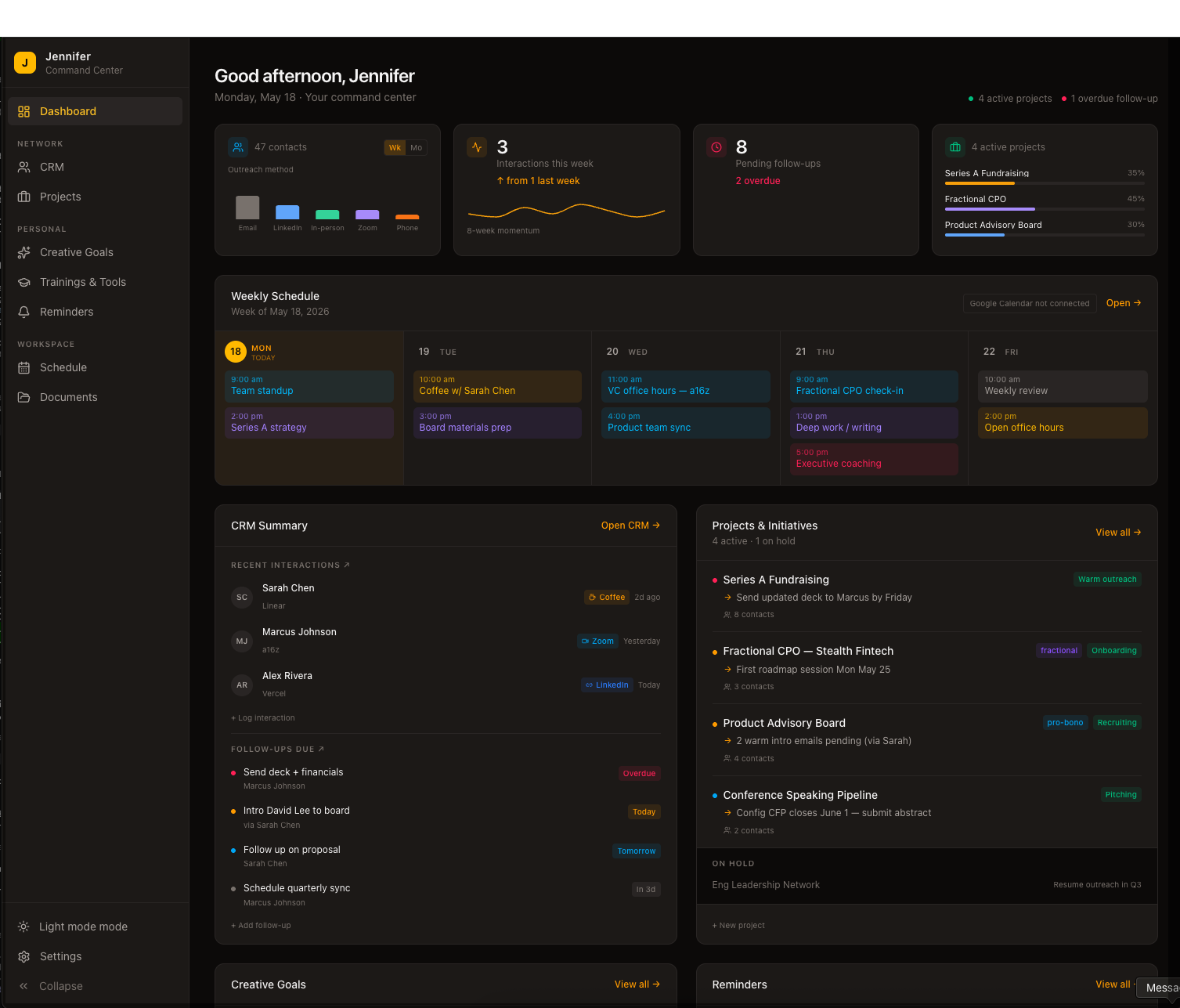
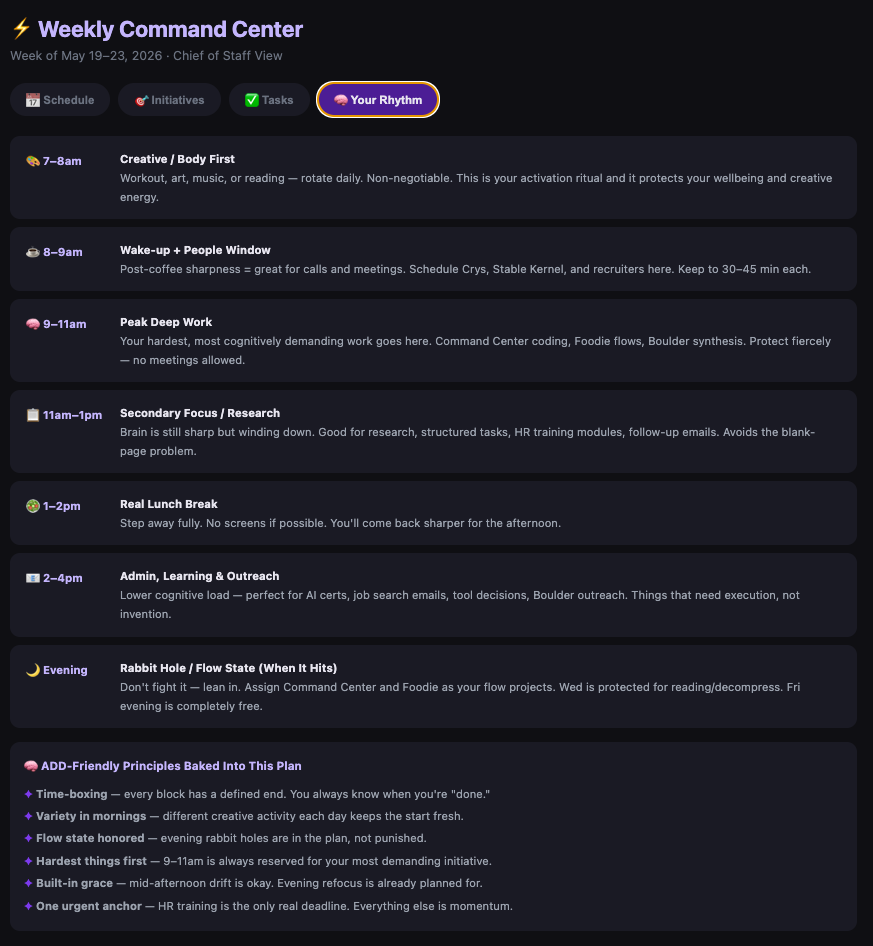
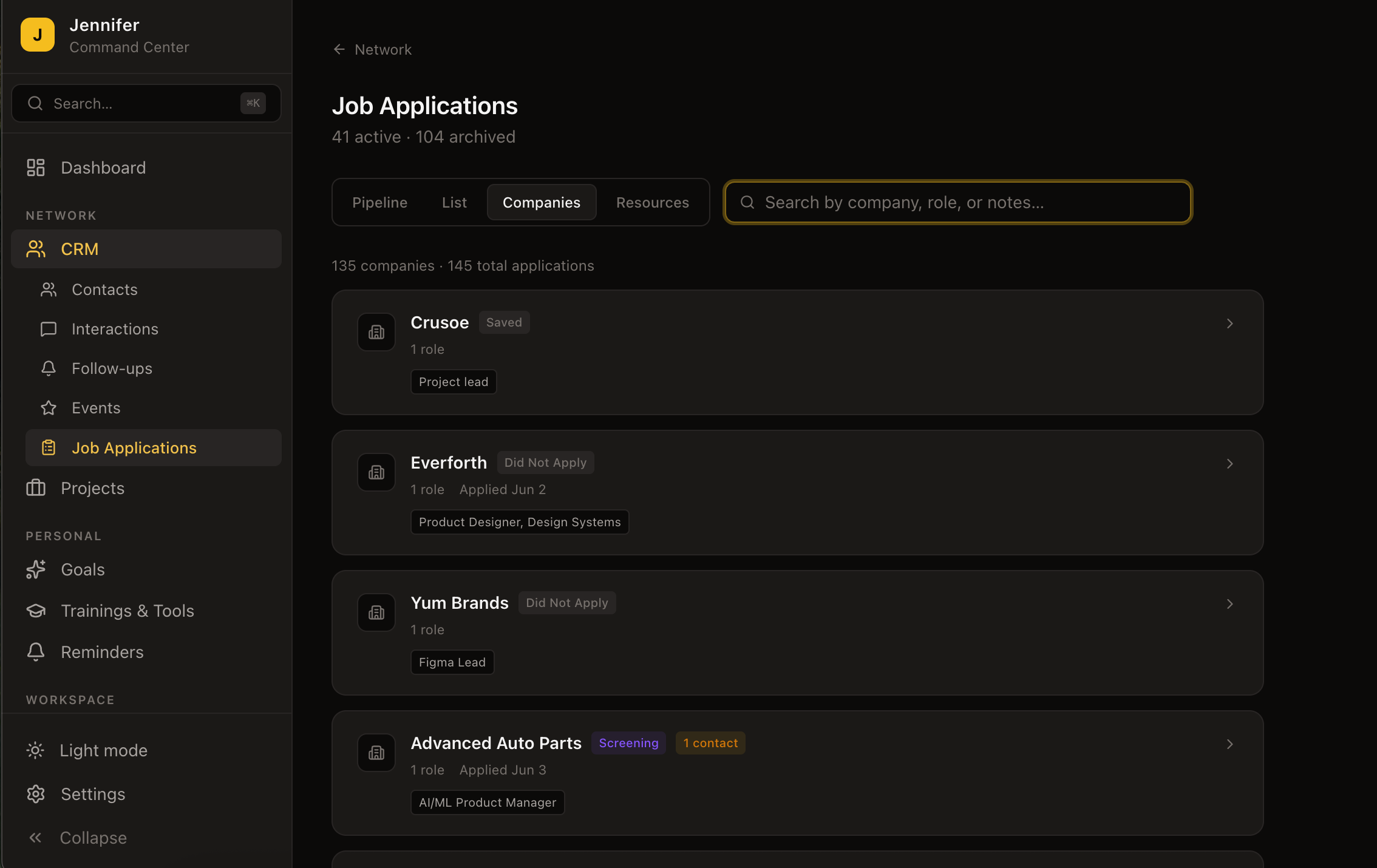
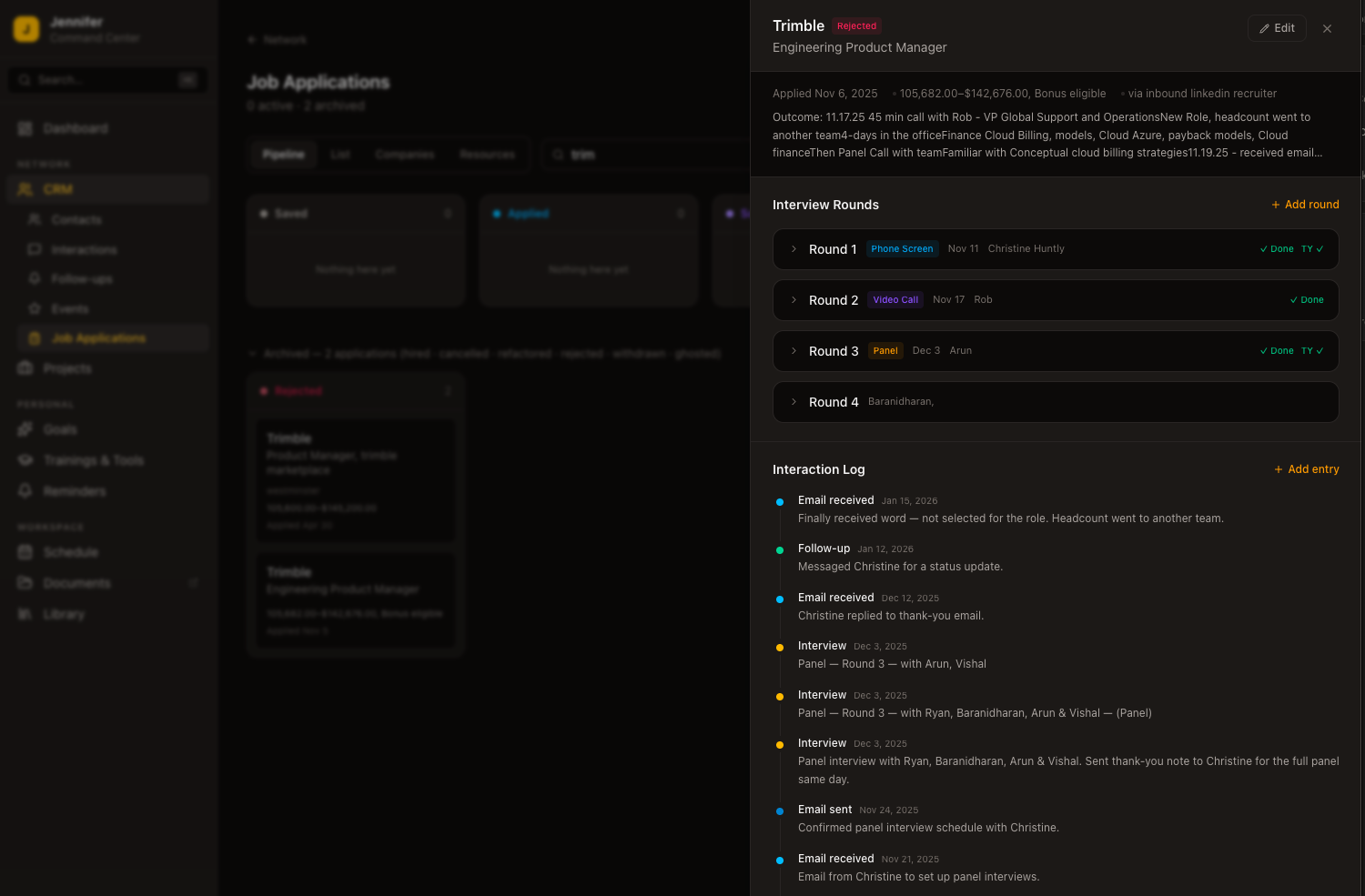
And the CRM was only part of what was needed. Managing active fractional projects, tracking job applications, setting weekly priorities, running automated calendar generation — one tool to hold all of it.
The decision: build the tool I actually wanted, and use the process as a forcing function for developing real fluency with AI-native product development.
Technical Stack
The AI Development Methodology
The most important thing learned from this build: AI coding tools are only as good as the context you give them. This methodology was formed in the first sessions and stress-tested across 89+ and counting. Every practice earned its place.
Context Architecture First
Before writing any code, build the project's brain. Every project has a structured CLAUDE.md brief — full stack, domain model, route structure, design system rules, naming conventions, architecture decisions, known bugs. This isn't overhead; it's what makes every new session immediately productive. A cold-start AI with a good brief outperforms a warm AI with none.
One Feature Per Session
AI coding tools degrade with broad scope. Keeping each session to one coherent piece of work — "build the contact detail page," "add effort levels to follow-ups," "set up the PWA manifest" — consistently produces production-quality output. The discipline also forces product clarity: you can't hand off something you haven't thought through.
Quality Bar Is My Responsibility
Nothing ships without review. Every migration gets checked for proper RLS policies. Every component is verified for TypeScript correctness. Every API route is checked for auth guards. When bugs surface — a production 403, a broken index causing full table scans, six simultaneous Supabase connections — gather evidence first, form a hypothesis, then run a focused debugging session. AI executes; you own the outcome.
Treat AI as a Collaborator
The shift from "ask the AI to write code" to "design the feature together, then build it" changes everything. Think through the architecture, the data model, and the edge cases first. AI handles velocity. You bring the product judgment. The combination is genuinely different from either alone.
Maintain the Record
Every session ends with an updated session log, a reviewed build plan, and a written opener for the next session. This discipline transformed 89+ separate conversations into a single coherent build. The log is the institutional memory the AI doesn't have. It also creates an artifact you can hand to someone else — making the methodology teachable, not just personal.
The Process Artifacts
One of the strongest signals that this methodology is teachable and packageable: the process generated its own documentation as a byproduct of doing the work well. These artifacts are what make the approach repeatable — for me, or for anyone I'd hand this off to.
CLAUDE.md — Architecture Brief
A living spec updated at the start of every major new section. Covers the full stack, domain model, route structure, design system rules, naming conventions, and key architecture decisions. This is the file that turns a cold-start AI into a productive session partner within the first exchange.
ATLAS_SESSION_LOG.md — Running Build Journal
Updated at the end of every session without exception. Captures what was built, decisions made, bugs fixed, migrations run, and what's next — including the debugging rationale, not just the fix. This is the institutional memory the AI doesn't carry between conversations.
ATLAS_BUILDOUT_PLAN.md — Living Roadmap
A checklist tracking every completed feature (✅) and every upcoming one (🔜), organized by priority tier. Updated each session. The single source of truth for what's live, what's next, and what's been intentionally deferred — with the reasoning captured.
SESSION_OPENER docs — Per-Session Context Brief
A written brief prepared at the end of each session for the start of the next. Includes what was built, prioritized fix list, open questions, and environment reminders. Eliminates the "where did we leave off?" friction that can degrade the first 20 minutes of a session.
TEST_PLAN docs — Per-Session Test Cases
Step-by-step test cases written before or during each feature session. Covers core flows, edge cases, and regression checks for adjacent features. Writing the test plan also sharpens the feature definition — you can't write good tests for something you haven't fully specified.
Supabase Backups — pg_dump Before Major Sessions
Before any session involving significant schema changes, a full pg_dump via Supabase CLI. The backup discipline is part of the methodology, not an afterthought — a production database with real data is worth protecting. The backup also forces a pause to assess what you're about to change.
Why this matters for consulting: These artifacts are the deliverable that outlasts the build session. A client engagement built on this framework doesn't just produce working software — it produces a documented, transferable operating model. The CLAUDE.md brief, session log, and build plan together constitute a handoff kit that any future developer (AI or human) can pick up and continue from.
What Was Shipped — Phase by Phase
Each phase represents a coherent arc of work, deployed to production at the end of every session.
Foundation
Full Platform
Intelligence Layer
Production-Grade
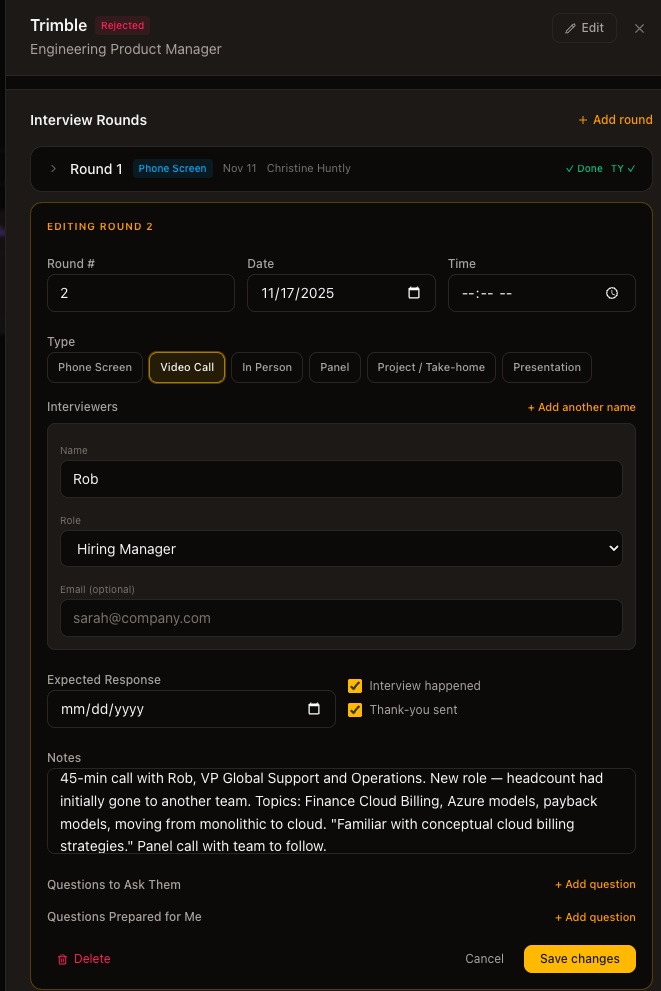
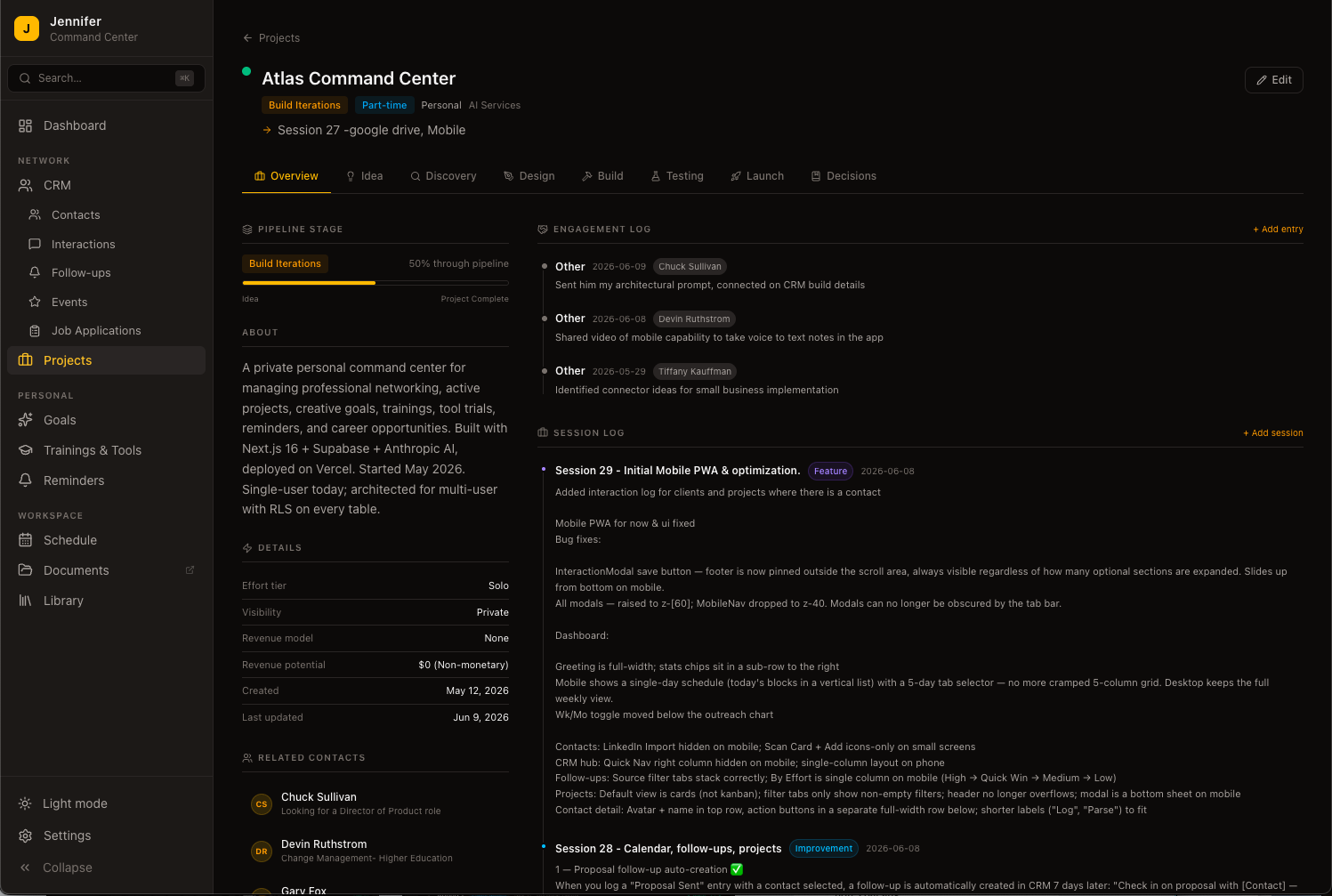
See It in Action
A selection of screens from the live production app.
Key Insights
The Brief Is the Work
Most people treat the project brief as overhead. Writing a tight CLAUDE.md forces you to resolve ambiguity you didn't know existed: what the data model actually is, where edge cases live, what "done" means for a given feature. That forcing function alone is worth the investment, independent of what the AI does with it.
Production Standards Matter from Day One
Starting with proper auth, RLS, and TypeScript — even on a personal tool — meant no retrofitting security as the codebase grew. The cost is low early; the payoff compounds. Every session built on a stable foundation instead of patching a leaky one.
AI Will Confidently Build the Wrong Thing
Given an underspecified prompt, AI doesn't pause and ask — it ships something technically correct that misses the point. The judgment gap shows up in the details: a sort order that's wrong for the use case, a stat that's accurate but meaningless without context. Those are product problems, and they only get caught if you're using the thing, not just reviewing the code.
Rapid Feedback Loops Change How You Think
When you can test a real deployed feature within hours of conceiving it, intuitions get calibrated fast. Seventeen days of building taught more about what actually works in a productivity tool than months of thinking about it would have.
The Log Is the Proof
The session log started as a continuity tool. It became something more: when a production bug traced back to a migration from weeks earlier, the log had the context to diagnose it in minutes — without the log, that would have taken hours. For consulting, that record changes the conversation — instead of asking a client to trust your process, you can show them exactly how it runs.
Performance Is a Feature, Not a Phase
A broken Postgres index that had been causing full table scans since the early build sessions was caught only because we were measuring real-world performance in production. The app worked — it just worked slowly. On mobile, that latency was untenable. Production quality means measuring performance, not just shipping.
What's Next
Electric Llama Labs is an ongoing build. The near-term roadmap completes the mobile experience and adds remaining capture features. The longer arc is about what this whole project actually demonstrated.
The Electric Llama Labs pilot opens October 21. It is built for solopreneurs and small business owners who are carrying the whole business in their head and would rather not. Jennifer reads every request herself. Request access to the pilot →